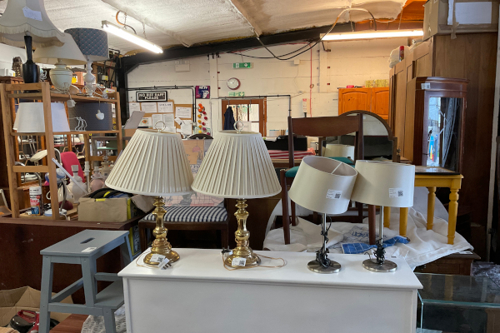
Category: RFS

  • February

    February

    Creating new posts and redesigning the front of the leaflet, while handling a lack of tasks

    Posts from the Volunteer Coordinator:

    • She forwarded me an email from an organisation, who provided materials to make a collaborative post, but the messaging didn’t align with her reason to post: RFS discounts
    • I asked about this and she decided to get back to me = the importance of understanding an organisation to pick up on misalignments, plus the importance of being proactive in asking about them

    Since I didn’t receive confirmation on my ideas, I had less to get on with:

    • I decided to start early on posts for the end of the week:
      • Taking pictures of items in the warehouse for FOTW
      • Pictures in general
      • The volunteers suggested items, which was motivating = showing me that inconsistencies can be demotivating and the importance of resilience
    • I also moved onto recreating the front page of the leaflet
    • After not hearing back, I sent a final email about the data post. A meeting was set, and he confirmed the data I found (from a partner organisation) could be used, and that I can email the organisation to ask for a reference. I was glad progress was being made

    Carousel

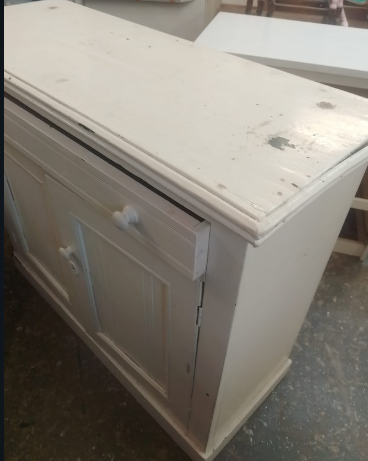
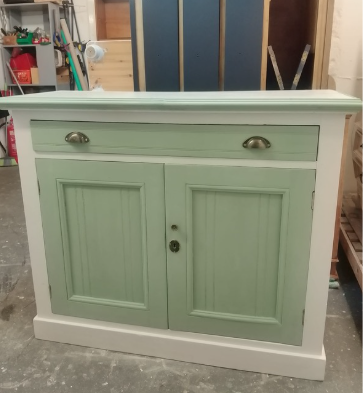
    • I also went to the carousel workshop and a volunteer said I could film what she was doing: stripping paint

    Made my last Reel, asked for leaflet feedback and had some impact report difficulties

    Carousel video editing:

    • From past experiences, I learnt finding inspiration first was better than diving into editing. There were many different styles to take choose from, and I decided to start with a question as a hook and to speed up the clips so it’s short
    • I made multiple versions to compare e.g. music and make the final decision, which gained 3k+ views, the highest views of any videos on RFS’ page
    • I remembered that seemingly small choices have big impacts on engagement

    https://www.instagram.com/reel/DUi-PicDHW2/

    Leaflet:

    • My manager asked me to ask a volunteer for feedback on the leaflet. She asked me to:
      • Replace some copy. They sounded great but were lengthy so I altered them slightly to fit
      • Match the alignment of the text, which was a good point to also keep in mind for the future
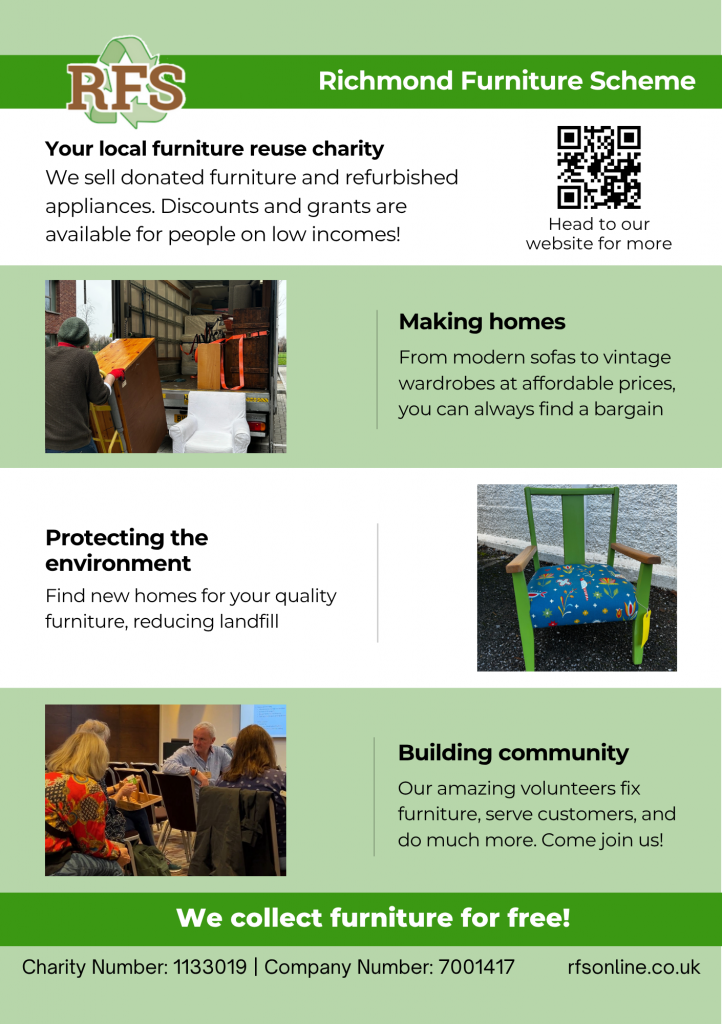
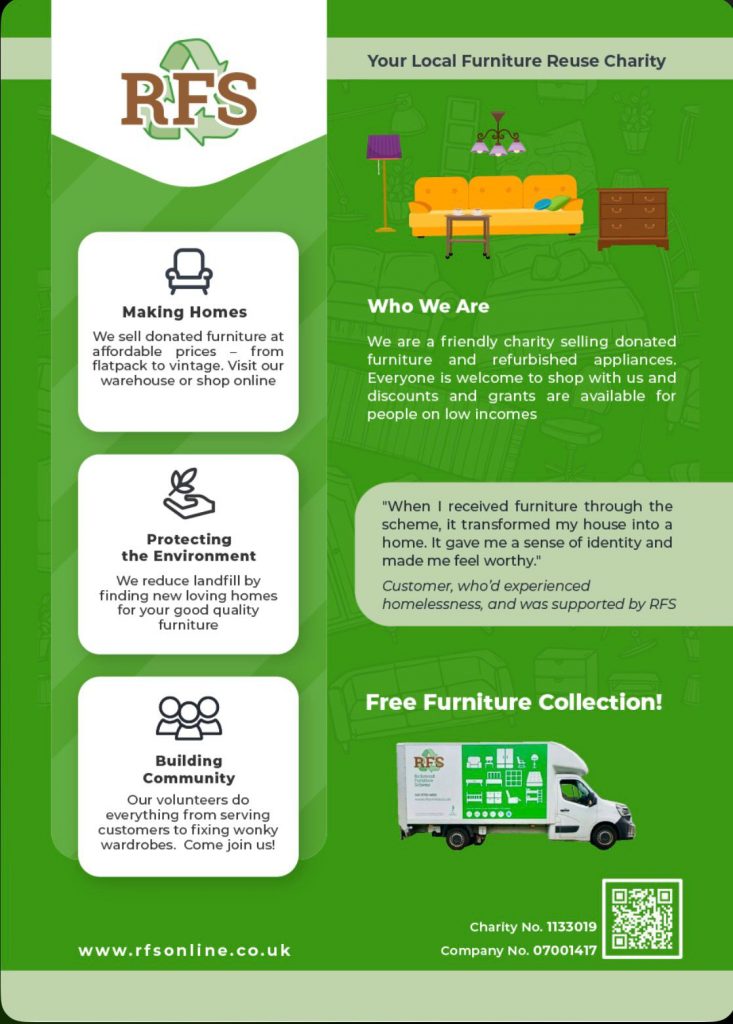
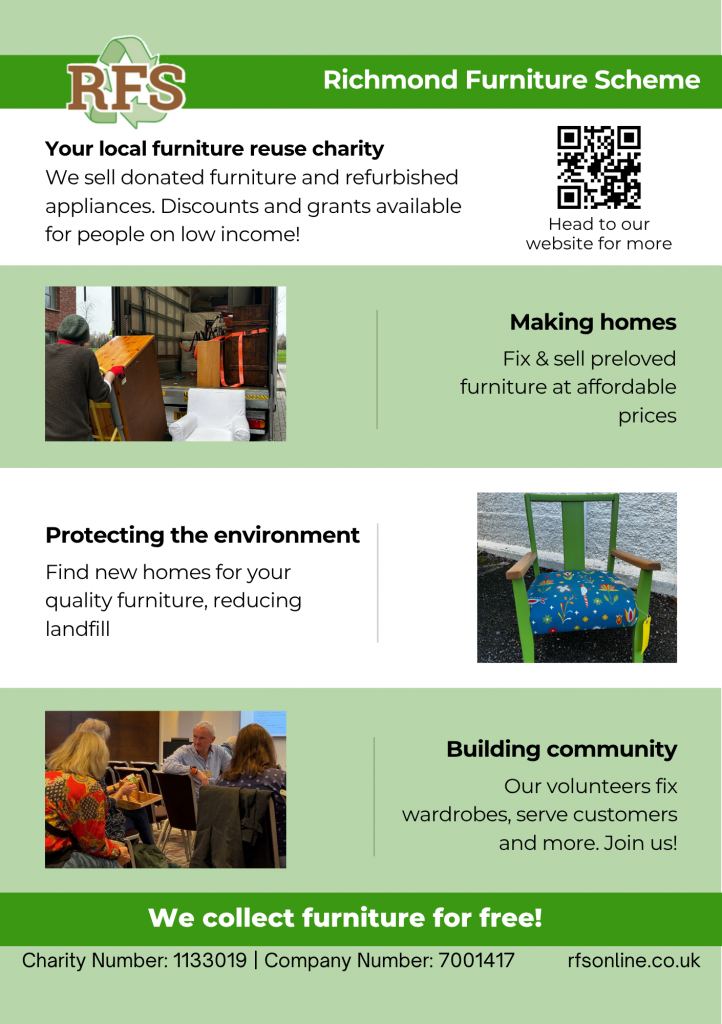
    Final leaflet (back cover)
    • For the front page, I was unsure of the best way to position the copy so I made options and sent a few to them
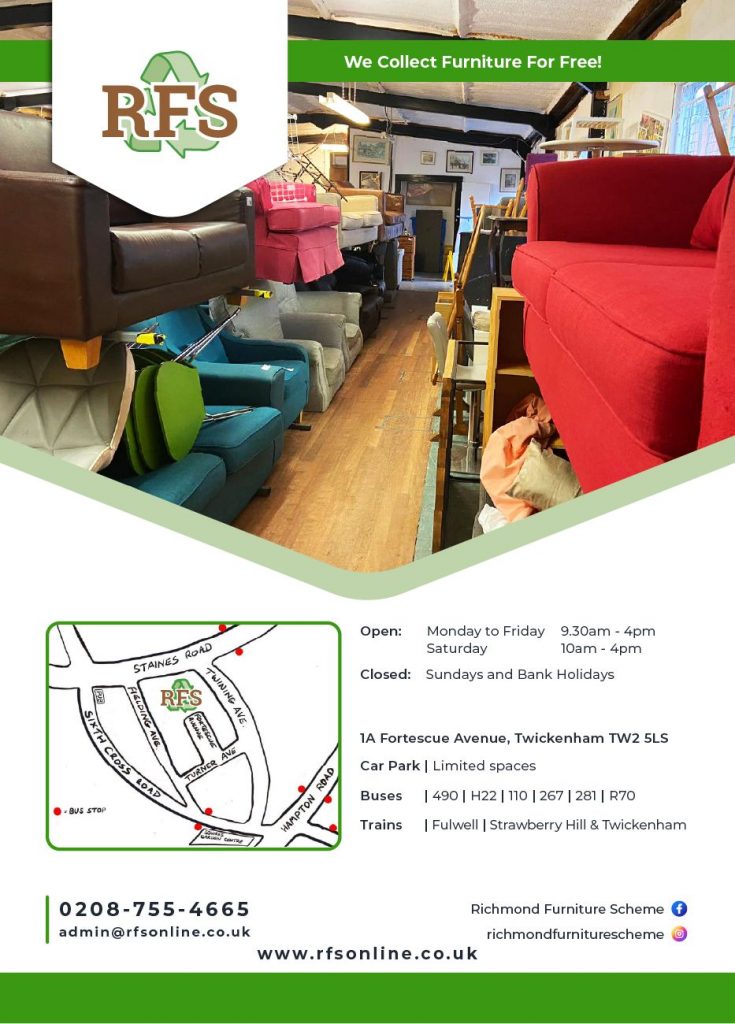
    • We didn’t come to a decision on the best positioning (hence the different copy positioning below) as the focus shifted to the shape of the image. The shape was inspired by the current leaflet, but my manager mentioned:

    The shape can match the back page of the new leaflet

    Which I understood and agreed with, as another piece of feedback to keep in mind for future designing
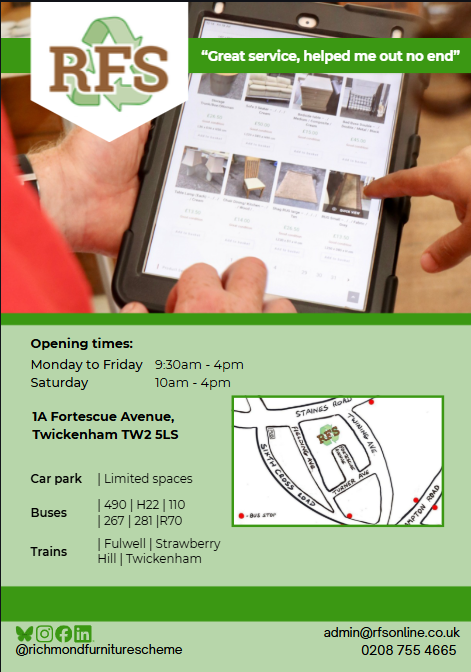
    New leaflet, different shape (front)

    Impact report issues:

    • Once I heard back about the data references, I was able to create and distribute the post. So, the last thing to think about was the flipbook
    • My manager said he’d like to make a trial website to test embedding the flipbook onto. He then mentioned a volunteer had emailed him report feedback the same day
    • I was frustrated as I was told it was completed back in December and waited for feedback and progress since then, and am now focused on promoting/distributing it
    • Despite this, I kept calm as I didn’t mind editing further, but was concerned about how it would be effectively put up in time, so I mentioned this. He clarified the report can be prioritised over e.g. the leaflet = I understood what was more important and strengthened my resilience
    • We read through the feedback together, which was beneficial to better understand what could be done to apply it feasibly = going through it collaboratively and speaking up I’ll be taking with me to future projects

    This made me reflect on the importance of clear expectations and prompt feedback to deliver projects on time
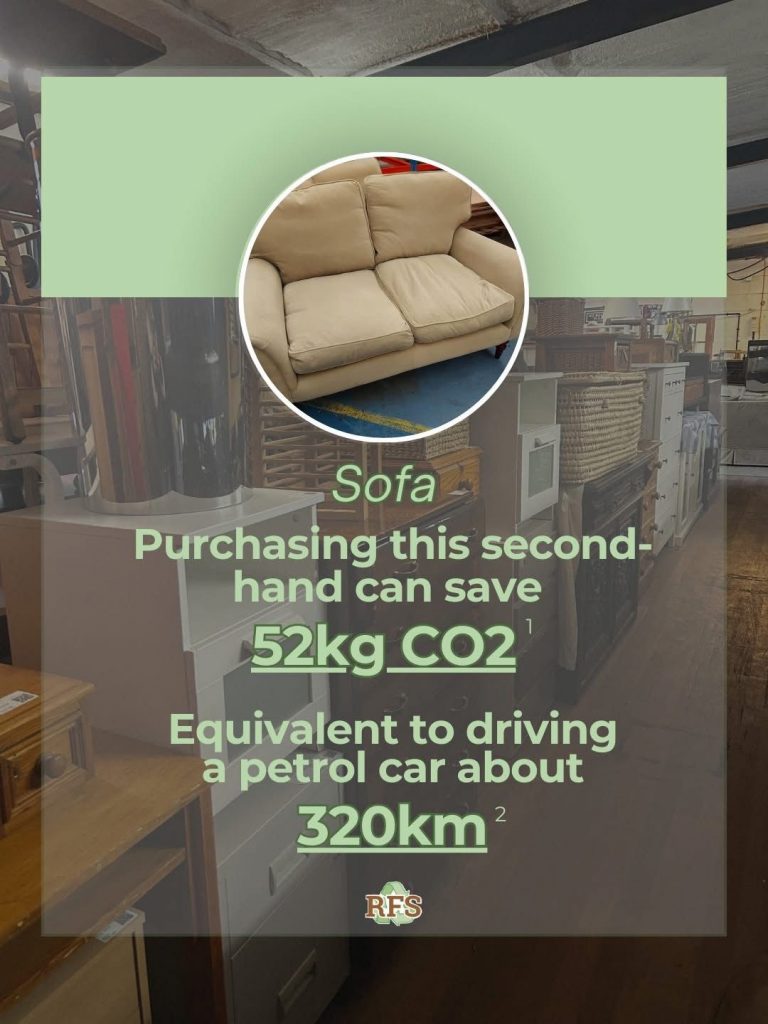
    Data comparison post

    Looked into the feedback for the report to make edits

    Some report feedback & changes:

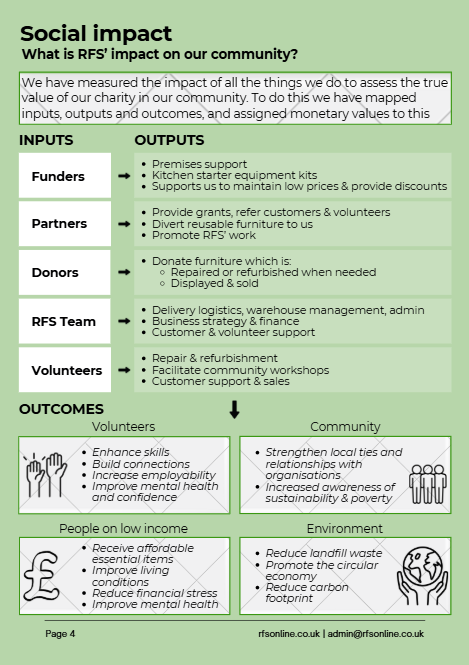
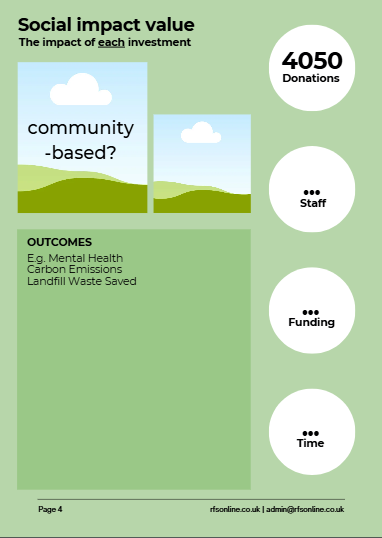
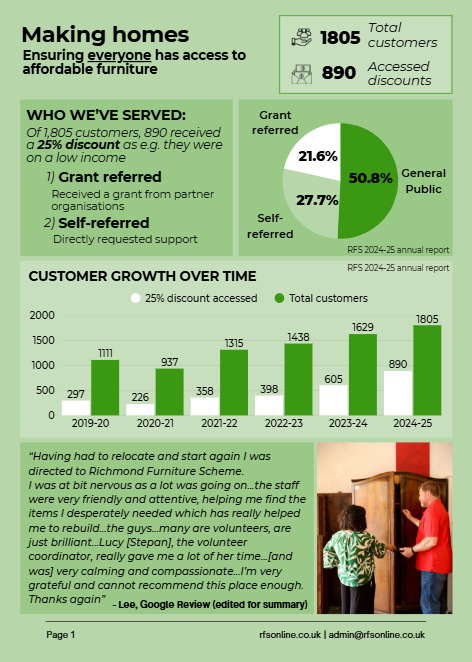
    Make the inputs/outputs on the Social Impact page lateral for better understanding

    • I made this change and, in the process, noticed uneven white space around the report that I fixed. Next time I will ensure it’s correct earlier

    [Social Impact page] subheading looked squished

    • I agreed. I previously didn’t know how to correct this, but noticed the information below made it look tight, so altered the line spacing to make the overall page readable = an interesting insight to keep in mind when designing in future

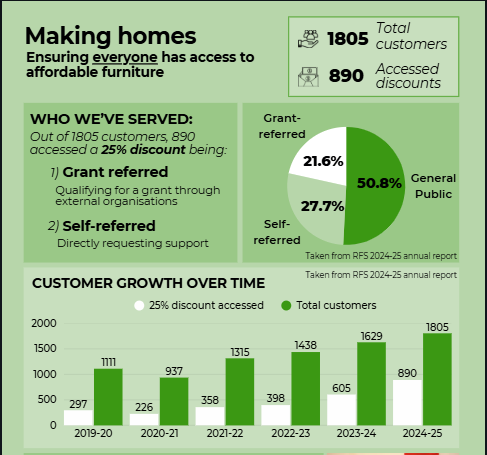
    Self-referred needs more explanation [Making Homes page]

    • After making further changes, I sent this over. My manager said there would be more edits to make and that he would make these edits later
    • This made it clearer why there was less urgency, as I didn’t know this was an option considering we had discussed distribution/promotion. Again, suggesting the importance of clear communication, but also informing me on what the work environment is like
      • During this discussion, he looked at the insights for the recent carousel video that reached 3000+ views and he was impressed = reinforced the overall impact I had on their content, building my confidence in my work

    Some of the report pages with their changes:
    Last week at RFS

    • Shared files, like the report and leaflet, with the RFS Team on Canva for them to access
      • Regarding the leaflet, I asked which options were preferred, but didn’t receive a response. Similarly to the report, this was frustrating as I felt I had to keep chasing for progress
      • However, I remained resilient and agile throughout the process, and now understand that if they’d like to make changes, they have access
      • Additionally, I was emailed earlier in the week by the volunteer that there was more report feedback to come, but I didn’t receive any, so understood they’d likely apply it
    • Provided photos and videos I took as requested and posted for the week
    • In a final call with my manager, I was thanked and received positive feedback from the volunteer coordinator that I:

    Helped keep things together

    This showed me that my strengths had a positive impact which I was glad about
  • January

    January

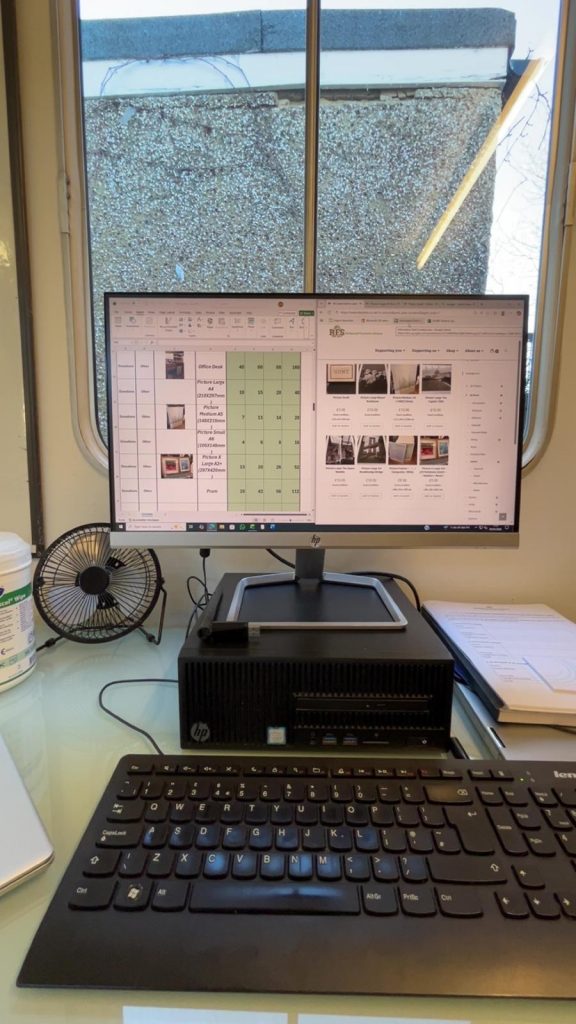
    Began recreating the price list poster on the monitor, and planning January posts

    After New Year’s closures, I caught up with my manager about upcoming events and expected posts which I added to my calendar, helping plan ahead and align with RFS aims

    I also started on the price list poster:

    • I was told I could use the unformatted spreadsheet that already includes all items, and format this to avoid inputting information. This was helpful, but would’ve been beneficial to know beforehand, so next time I’ll ask
    • I learnt more about Excel, e.g.:
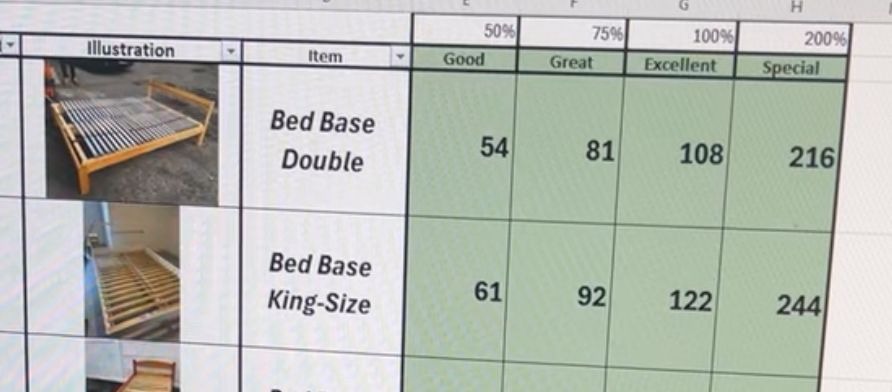
      • I struggled to fit the spreadsheet in an A4 sheet for printing and was told ‘wrap text’ would adjust lines.
      • ‘Place in cell’ images, which I was unable to do previously
    • To improve the spreadsheet for readability and recognisability, I:
      • Changed fill colour to match the branding
      • Changed alignment and typography style
    • My feedback was that the prices should be right aligned, reminding me of standard price formatting
    Example

    Finishing poster, refining TikTok/Bluesky and ideating

    • In finishing the poster, I researched how to lock formatting, to align with requirements:
      • I ensured cells with information were editable if it needs changing in future
      • Ensured the rows/columns were not editable, to avoid accidental changes

    This reminded me to think about how accessible it is for future users

    • In adding more illustrations, I used basic Google images when the website images were poor quality for customer clarity. I ensured they were generic to be representative and help customer expectations = similarly, had to think in perspective of the customer

    Drafted TikToks from my downloaded Reels:

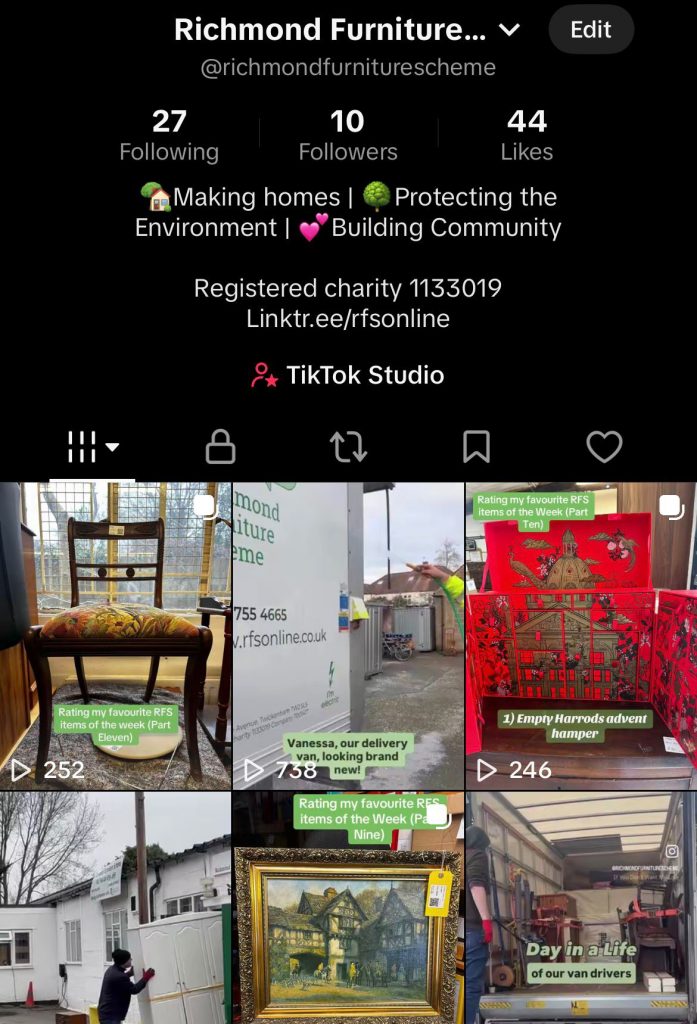
    • Although a business account, TikTok didn’t allow description links, and had limited music. This restricts video reach and access to the RFS website, so I converted it back to a personal account = reflected on the limitations of platforms, as learnt in first year at university, that have to be worked around
    • Added Linktree, RFS’ aims and charity number into the bio
      • Linktree – To bypass TikTok’s limits, I added this as an easy to search and all rounded link as it includes every website, for viewers to access
      • I’ve been told the importance of the charity number in the past, so embedded this for viewers to know it’s official
    TikTok page + bio

    I also updated the Bluesky bio

    • The word count means CTAs are tricky to include in posts, so I added contact information into the bio instead, alongside the charity number

    Updates

    • When I started, I had various ideas I wanted to explore, some of which I still hadn’t, so I wanted to implement 2 – testimonials and data comparisons

    Considering my new ideas, I began preparing these posts

    Testimonials

    • I asked a volunteer for past testimonials (from interviews/surveys) I could use. In the process she told me I was doing a great job with the social media, which was encouraging and helped build my self-efficacy
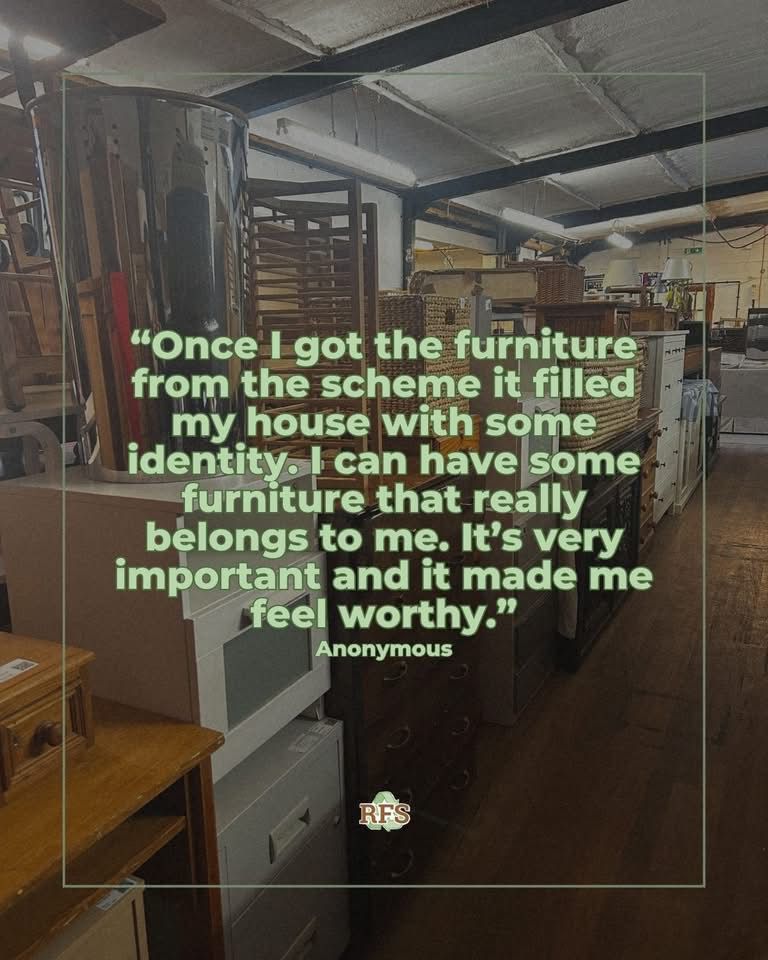
    • Originally, they would’ve been feedback testimonials, but after reading the interview/survey testimonials, I changed it to those focused on our aims = asking was useful as it kept it aligned with RFS, to show their benefits and build audience trust

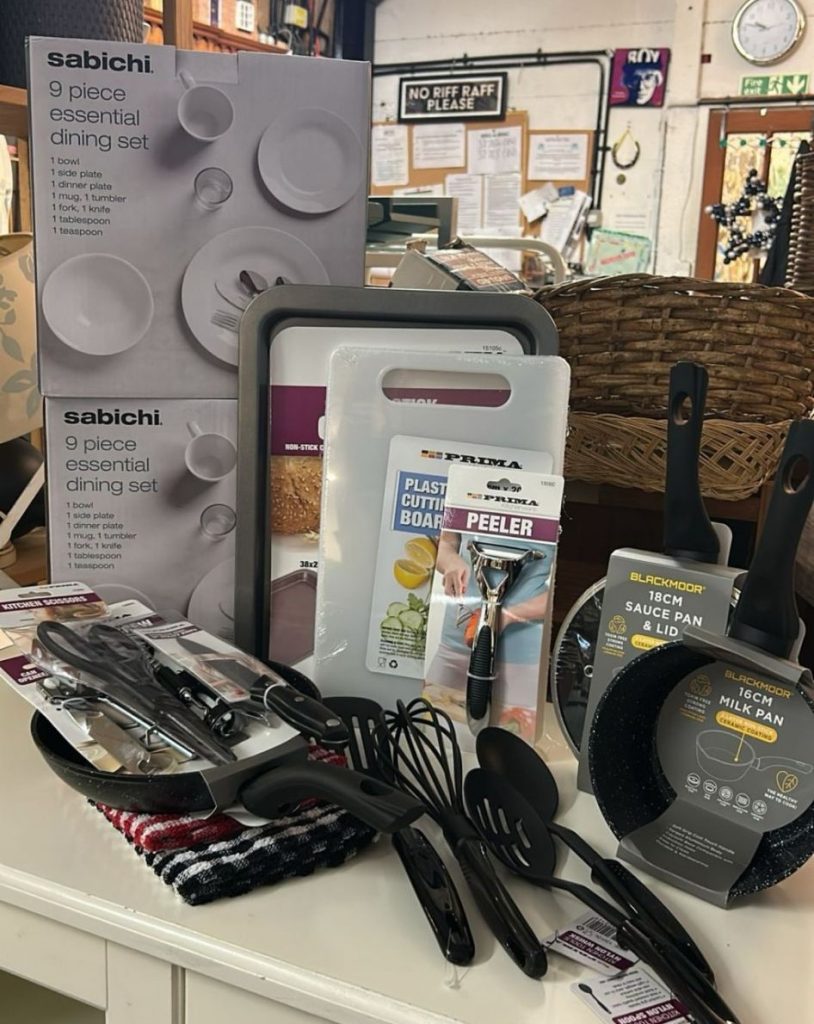
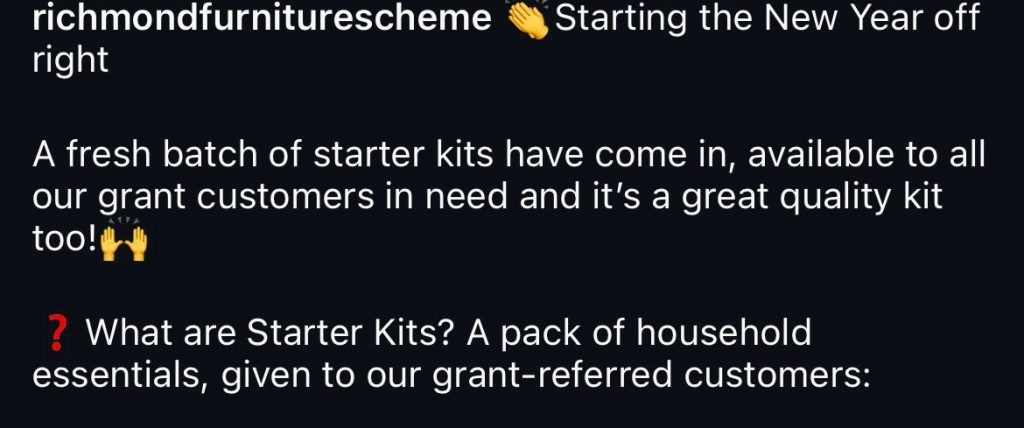
    Starter kits (a pack of kitchen essentials given to those on grants)

    • I was provided pictures of the new kits to post and included an explanation of what the kits are to meet RFS’ aims, as I realised viewers being familiar with what they can access is significant
    • I also used the Annual Report to ensure I used aligned explanations, having learnt about this while forming the Impact Report
    Kits
    Caption

    Proactive liaising

    • I asked a Carousel volunteer if she’d want to film a video in a week to explore another idea I had = highlights the need to also create your own opportunities
    • I noticed a volunteer cleaning the delivery van, so asked if I could film to capture authentic moments. To emphasise this, I edited it with simple copy, aiming to entertain rather than overwhelm the audience with promotion, and reminding me of the slight changes that can shape a piece of content. This was informed by content I learnt in Year 2: the importance of balancing entertainment with promotion

    Video:

    https://www.instagram.com/reel/DTimYRZjG45/?igsh=c20zcWJpdG1qczE3

    Report and post issues to overcome and a new video

    Meetings with my manager

    • I was told I could work on other posters, which we discussed in depth, but most of them required updates I didn’t receive
    • I mentioned this and the publishing of the report again and we listed the steps towards publishing the report e.g. starting with converting it to a flipbook. I reminded him that I tried the flipbook in December but had access issues, which we sorted

    My proactive communication was vital to initiate conversations as it had been a while since we discussed them and since I finalised the report. It also helped me practice speaking up confidently

    • I was provided feedback on the skills I’ve developed over my volunteering: 
      • Working in a team
      • Creating engaging content
      • Working to a brief
      • Meeting objectives
      • All while meeting a business’ context
      • He also mentioned the style I’ve implemented in the feed, referring to the update I made in December that was inspired by Street Storage

    It was great to understand the skills I have demonstrated in a professional context, rather than just in an educational environment, and it made me reflect on how my educational experience has developed these abilities, furthering my self-efficacy

    Report flipbook and data comparison post

    • I attempted flipbook conversion, finding that the flipbook would need to be formed from within the website, which I can’t do. I communicated this, especially as I have one month and, based on our discussion, a lot to do to promote it
    • Regarding the data comparison post, I landed on making “profile card” spotlights of each item
    Profile Card inspiration
    • My research (on the amount of CO2 saved by buying second-hand) was tricky as the data was inconsistent, but I found a couple figures/websites I could use
    • After another meeting, I felt slightly frustrated as it had been a month since I completed the report with no further plan, and I wasn’t provided much confirmation or action for the data post = understood that I value feedback
    • Deciding to come back to it in future, I made another testimonial post to adapt to not creating the data comparison = flexibility is important as long as progress is made

    Richmond Council partner blog:

    • The Council reached out about creating a partner blog, requiring copy and some images of refurbished and repaired items for Repair Week
    • I created a folder of images I’ve taken of refurbished items and one features in the article below. My content being useful elsewhere was fulfilling:

    https://tinyurl.com/epvhr3na

    Upholstery video:

    • I returned to the Carousel workshop to see what content I could get
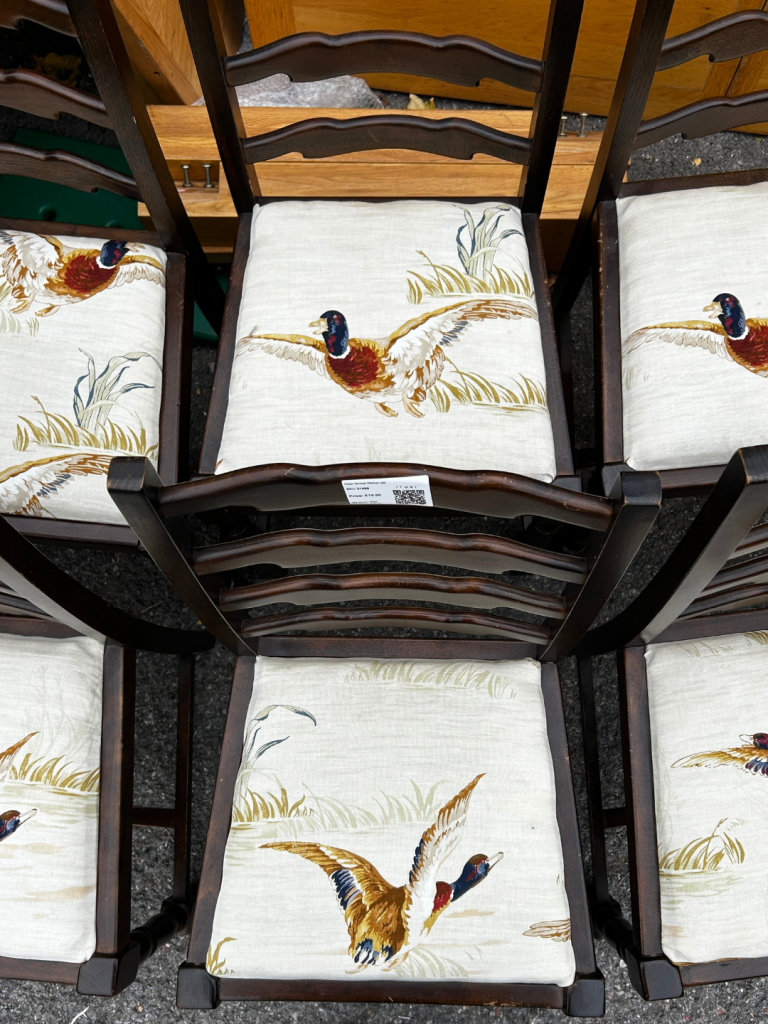
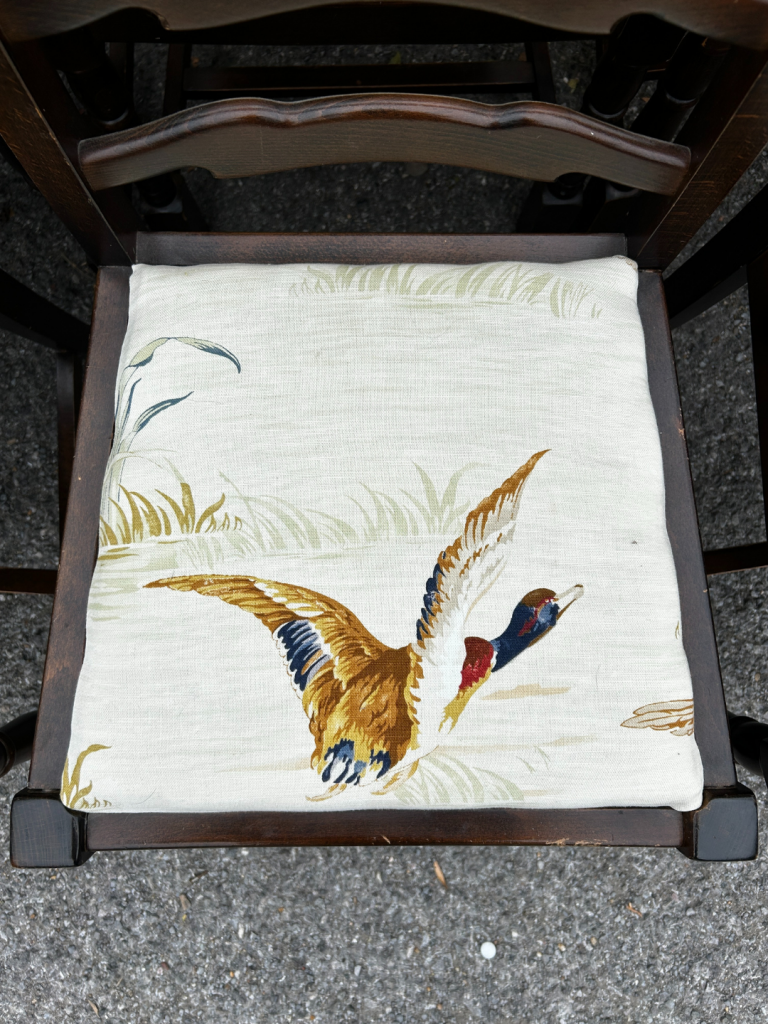
    • I started finding out about the steps for chair upholstering = beneficial to know what to expect and something that I’ll continue to do
    • I was asked to film someone who said she was less experienced with upholstery. The process was more complex, so I filmed for longer, let her take her time and kept observing = beneficial to capture each development in the process
    • As I filmed, I thought for it to be a “final fixes” video, so I went straight to editing. The team said it was brilliant, which was great and reinforced the furthering of my enterprise skills in creating opportunities

    https://www.instagram.com/reels/DUQ8psFDOKv

    New designs for a post and a leaflet

    I was requested to design a new leaflet so I started with the back page:

    • I used the current RFS leaflet to guide all copy, but shortened for readability as the main issue to tackle. I also included relevant images, bringing in knowledge from my studies on engaging audiences
    • I used the same palette and charity number format as the report for consistency, aiming to keep the branding recognisable = reminded me of the details that make up marketing
    • My manager said it was “great” and showed other staff who approved and really liked it

    Change ‘protecting the environment’ image to be more representative of the information, and change the font colour

    Ask another volunteer for feedback on the copy too

    And I made these changes

    IT system post:

    • I was informed that a new IT system is being used in the warehouse that the trustees set up and was supported by Microsoft
    • This was a great opportunity for a LinkedIn post, and my manager suggested a graphic that showcases the many aspects of the charity it supports
    • I remembered an improvement I gave myself about collaborations, helping me be strategic in writing the caption:
      • Tagged Microsoft to say thank you, but also reach their audience – LinkedIn’s features

    https://tinyurl.com/4a4zjx2c

  • December

    December

    I decided to make some content changes

    Social media:

    • I realised I hadn’t considered typography enough in past posts and later came across content from Street Storage
    • I was inspired by their typography and how their feed looked:
    • Consequently, I started implementing similar ideas with this week’s ‘Favourites of the Week’. Our content is very different, so the style isn’t the same, but it helped me reflect on the feed’s aesthetic for the future, to help content be recognisable
    • I liaised with workshop volunteers, asking for pictures of items they’ve upcycled/repainted/upholstered and about the context of the items, e.g.:
    • This was helpful to schedule content for a few weeks

    Lastly, I was invited to observe and add to a conversation between the manager and a volunteer around surveying customers

    • The need to consider customer responses with feasible response collection, made it a difficult decision. So I found observing this first-hand insightful
    • As an initial conversation to revisit, I was reminded that these decisions take time, they’re hard to make and there are various considerations

    I joined the delivery drivers to capture their day doing deliveries and collections and got started on creating posters

    In shadowing the drivers, I:

    • Took videos, but also some pictures
    • Asked them personally about what they do and met customers
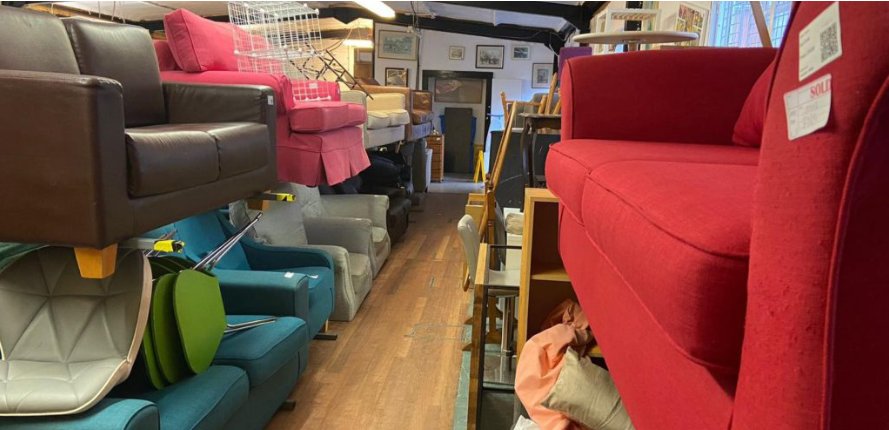
    I found this really beneficial, not just in getting content, but understanding their roles on a deeper level while building connections in the team

    • From the content, I had a couple ideas of how to use them so I edited one, a short ‘rain video’:

    www.instagram.com/reel/DSSxseZDNth/

    • I made sure I implemented information about RFS with the new typography
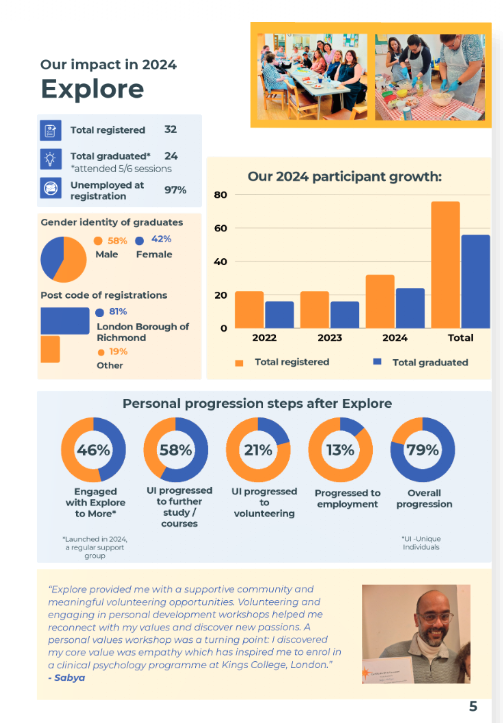
    Additionally, I had a discussion with the manager about various posters I can make, to help volunteers and customers understand e.g. item prices, to promote RFS in other locations etc. This was exciting, to have another project but also make important materials
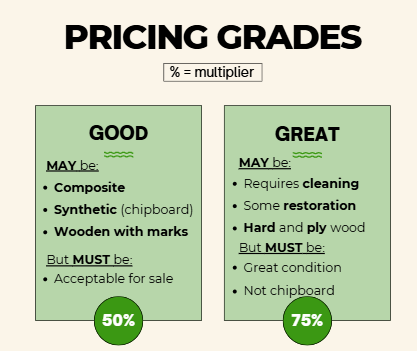
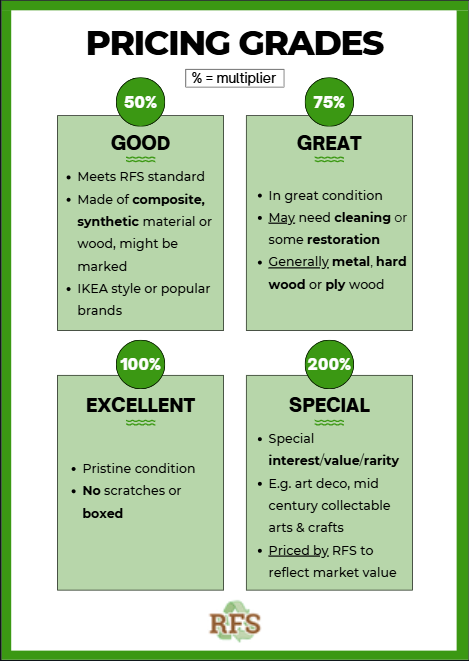
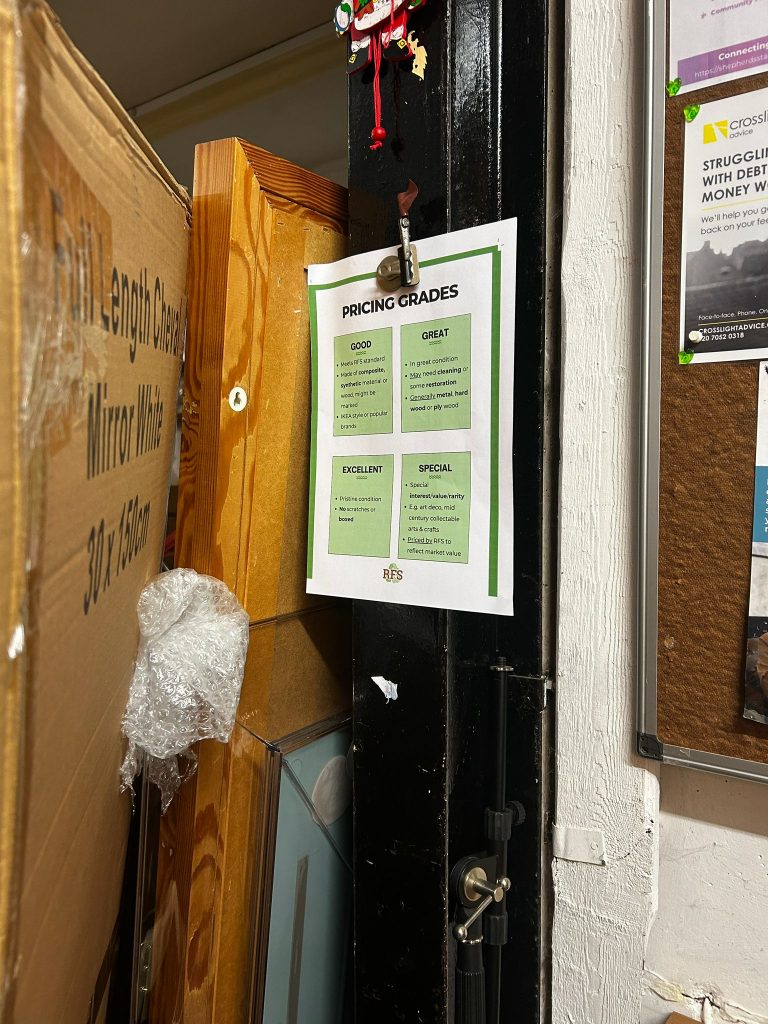
    Starting with a price grading poster, including explanations of our item grading system:

    • I wrote an explanation, which I then changed to create a clearer, more concise version
    • Realising I was stuck on whether the new method made sense, I decided to come back later
    • I immediately recognised it wasn’t accurate, reverting to the previous method to show the manager = the importance of revisiting:

    I was also provided feedback:

    Produce a print file with “bleeds”

    • Having sent a PDF in CMYK, I assumed it was ready for print, but this was insightful as I was unfamiliar with ‘bleed’
    • I was able to add it and send the new version over

    I designed posts for the holidays and started a new poster.

    With approval of the price grading poster, I moved onto the price list poster:

    • This was challenging, as I was summarising a spreadsheet with every item and every price grade, plus images, into a Canva poster. But, I still enjoyed the process
    • I created a design I felt was clear, only including some items, to show the manager before moving on, in case of changes
    • I was glad I did this as the feedback was to use Excel instead. Considering the prices/items may change in future, they would need to import the information and easily place images (not possible in Canva)

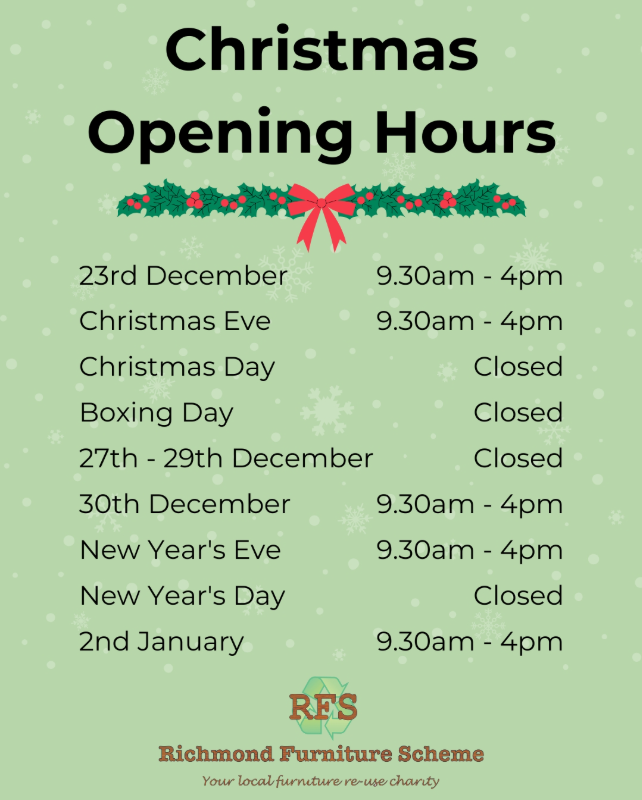
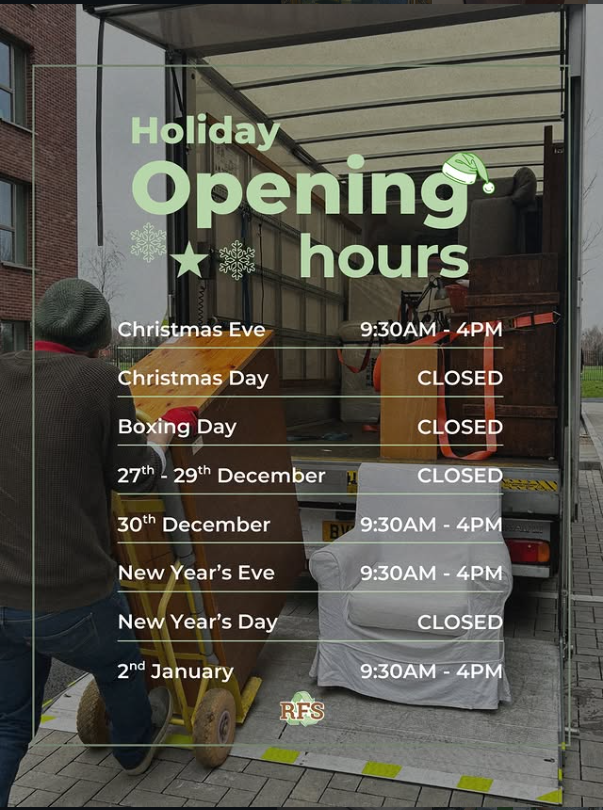
    With holidays approaching, I needed to create an opening hours post:

    • I looked into inspiration and last year’s post as a guide
    • I used a picture I took while shadowing the delivery drivers, as I felt it represented RFS as a whole, and included graphics and the new typography
    • I thought about ways to summarise the information further than last year’s post, so I removed 23rd December and added a range “26th – 29th” as a closing day
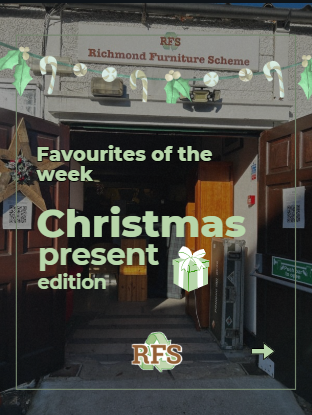
    Lastly, I wanted to make a Christmas version of the Favourites of the Week (FOTW):

    • Decided it should provide present suggestions
    • Liaised with warehouse volunteers for recommendation
    • Since this is a Christmas version with new information that would be difficult to fit into a normal FOTW post, I created a cover
    • Use the same format as the ‘opening hours’ post for the feed’s aesthetic:
    FOTW cover

    Created a ‘Day in a Life’, resolved Excel issues and scheduled a graphic

    • I worked on the Excel poster, designing it so it doesn’t look like a spreadsheet. Despite my little knowledge of Excel, it wasn’t too difficult, so I formatted the design
    • However, as mentioned, a significant reason for using Excel was to easily place pictures, and although it’s possible, it didn’t work
    • I moved to the app, which allowed other features I needed, but still no ‘place picture’ option. I researched and realised I have an outdated app
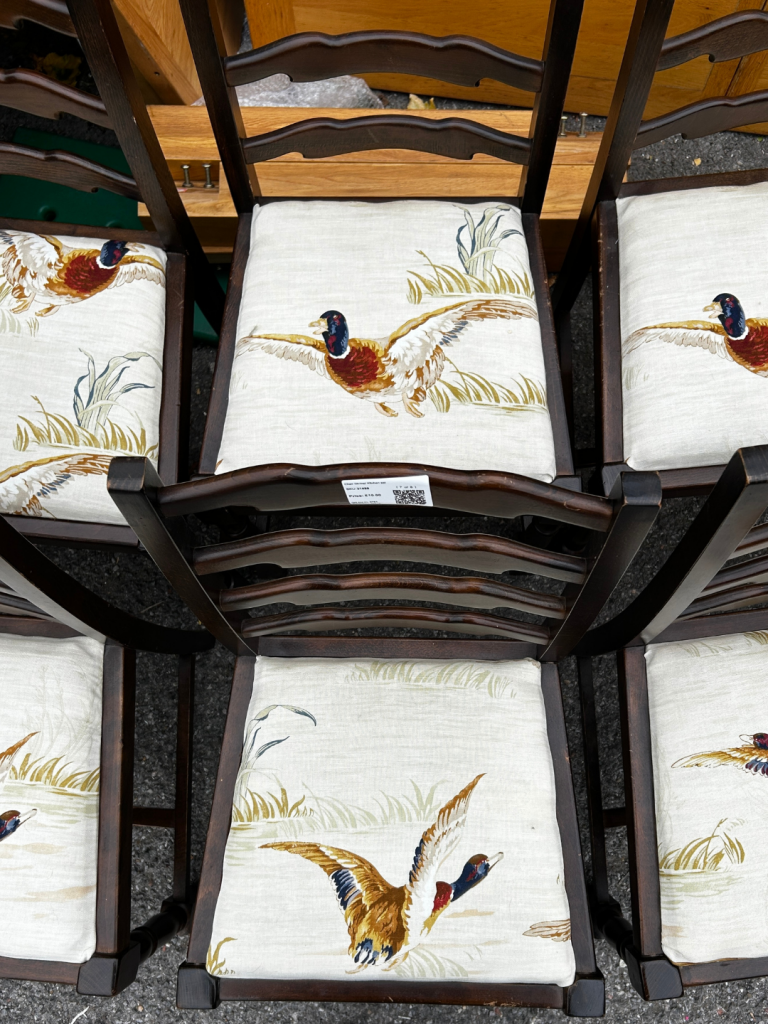
    • I’m glad I researched this beforehand, as I was able to thoroughly explain this to the manager. We decided to get back to it in the new year, using a monitor
    • He also suggested keeping the spreadsheet style instead for future updates

    Since signing into TikTok and Bluesky, I’ve been uploading past posts:

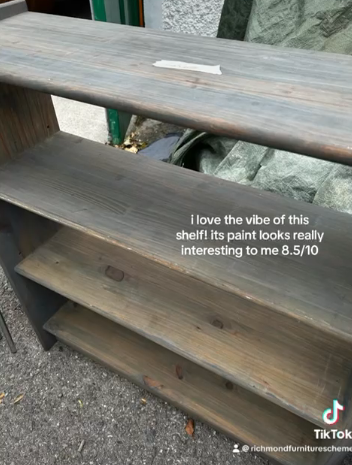
    • TikTok – weekly FOTW with ratings & Reels. I’ve adapted the typography here too
    • Bluesky – realised there was much more content I could’ve posted than I originally thought = updated my content calendar and uploading

    Next time, I will better consider all platforms

    From the delivery driver videos, I created a ‘Day in a Life’:

    • I included figures about what they do, and insights from asking questions
    • Contrastingly, for LinkedIn, I used a picture I took and placed this information in the caption to suit the platform

    www.instagram.com/reel/DSp9YrsDLcy/

    I sent it to the manager, receiving the feedback below, and from staff:

    Perfect. Really good. Well done, it’s good to go. You should be very proud and happy with that.

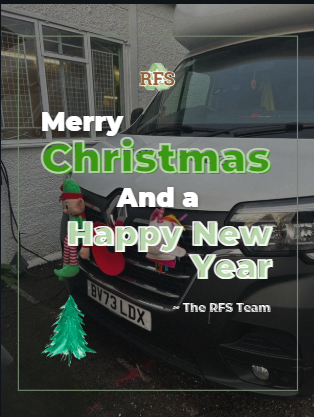
    Finally, I made a Christmas and New Years graphic

    • In the past I had a format for graphics which I tried but felt didn’t work
    • I made many changes and realised I could use the same format as the opening hours post as, luckily, staff previously told me about new Christmas van decorations which I captured. I felt it helped represent RFS while being relevant
    • I decided to continue using this format in future, adding to recognisability
  • November

    November

    Started on a Trustees post, filmed a woodstore volunteer to try shorter form content and continued the report

    Started with admin and came across ‘#TrusteesWeek’ on social media, where charities thank their trustees. I worked on our own by:

    • Researching each trustee for the design & caption
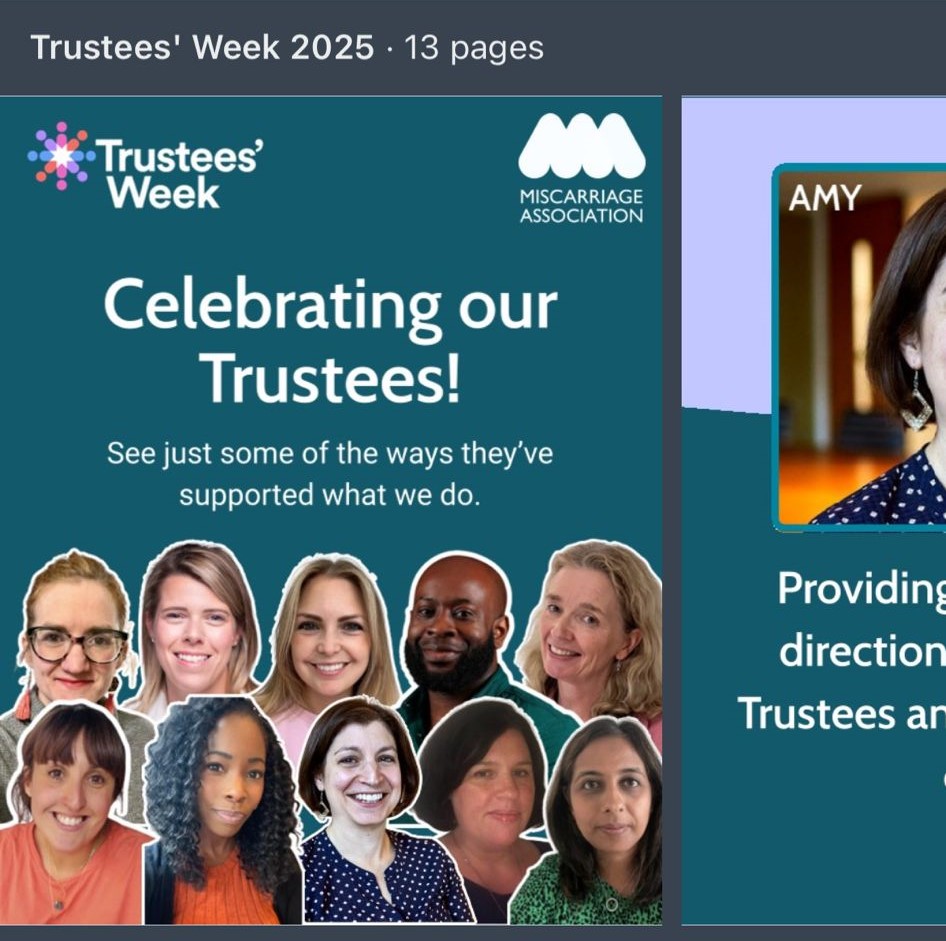
    • Finding design inspiration (after struggling with ideation) and Trustees Week’s bank of graphics, deciding to spotlight them
    • Using Canva to design a video graphic for the first time
    • Asking for description feedback from the manager, to accurately align with their expertise

    I was glad to have utilised Canva’s video editor, learning how it works and applying my editing knowledge. However, I felt the brand colours/fonts were limited, so found it tricky to align with them. So, I chose to change the font, considering the manager didn’t previously find it important. In future, I will research inspiration and graphics before ideating myself to save time

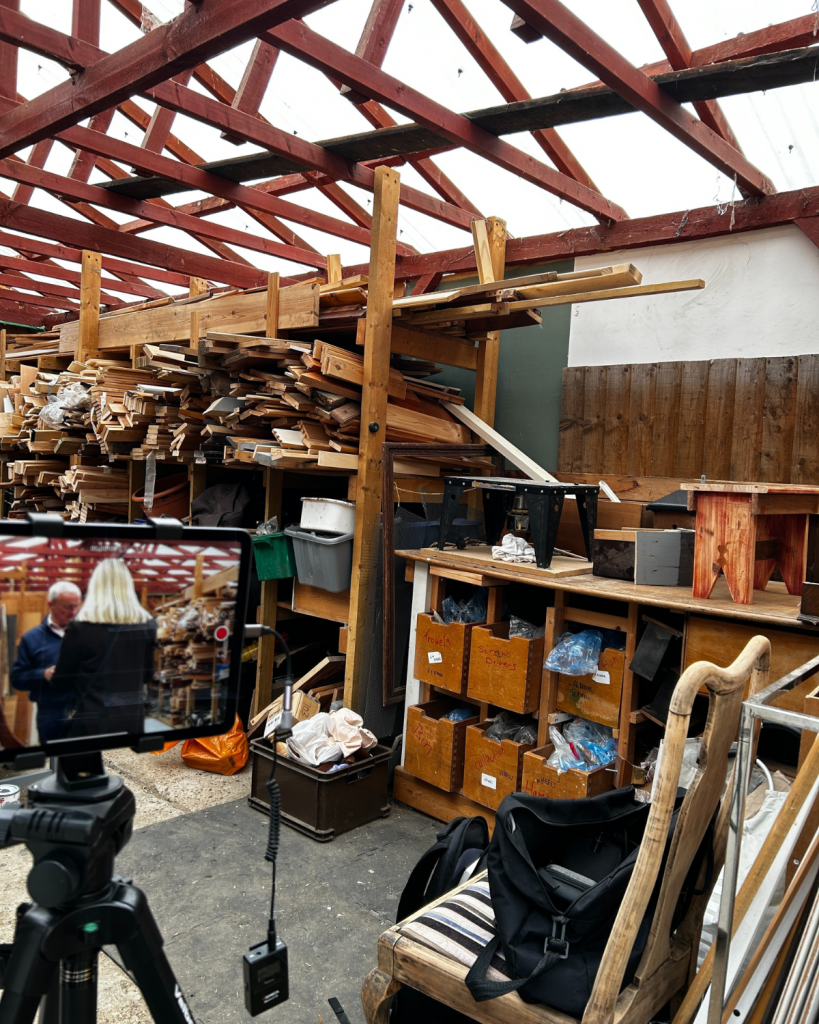
    I liaised with workshop volunteers, asking a woodstore volunteer if I could film him upcycling wood to create decorations:

    • Inspired by Petit Miracles who have short videos that garner lots of engagement
    • Showed him my inspiration & reassured him there’s no talking/it’s faceless
    • Captured the process in 15 minutes as the preparation was beneficial

    I was nervous to film, as I wasn’t sure what was going to take place, but I stuck with what I did know: to capture as much as possible. He encountered a problem so the final piece couldn’t be completed and captured, but considering my aim (create a short video of the process), I quickly realised it can be resolved by showing a pre-made piece.

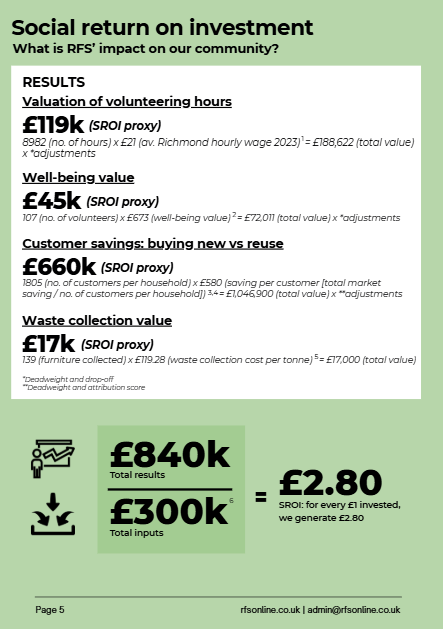
    Lastly, I used my notes and Excel sheets to continue designing the SROI pages

    • Being a complex concept, I asked for clarification multiple times, which helped
    • It also takes lots of space, requiring: referencing, figures, calculations, definitions etc. I decided to change the drafted layout I previously made and discussed best formatting with the manager:
    Original drafted layout with blocked out space and brief ideas

    Created many posts, captured content at the Explore programme and designed invitations.

    This week I felt slightly overwhelmed as:

    • I was behind in content
    • After making fixes to the Trustees post and report, was informed of further changes
    • Informed by the coordinator about creating a poster for an upcoming AGM, and a collaborative post

    Consequently, I:

    • Communicated my immediate deadlines to the manager 
    • Continued breaking down my tasks for each post
    • Decided to revisit the report/poster later

    Therefore, I could schedule 3 posts, including the collaborative post, ask about the poster details and show the manager the new SROI design, which he liked. So, this was beneficial in getting me on track and less overwhelmed. I will take this experience into the future.

    Additionally, our partner charity Shepherd’s Star, holds an Explore programme described as:

    Offering a welcoming first step on the journey of personal growth…

    This is through e.g. personal development workshops. Some RFS volunteers and the manager are requested to undertake woodworking workshops, so I:

    • Captured content
    • Made connections with the co-founder and those participating
    • Found filming in a smaller group of individuals I’m not familiar with out of my comfort zone, as they may not want to be filmed. However, after my role was introduced to participants and I was informed of who didn’t want to be filmed, my confidence with filming built, helping acquire good content

    Moreover, I edited the decoration video, of which, the edits were deleted. Despite the inconvenience, I decided to quickly re-edit to easily recall the edits previously made, resolving it:

    https://www.instagram.com/reel/DQ9luRejBAl/?igsh=MXNoenBkaHdqajB1Yw==

    Other social media

    • Was messaged the below on Whatsapp, which was great to hear

    Social media is looking good

    • Posted Trustees post – manager sent it to the Trustees to check, and reported back that I was doing well based on responses. I was pleased to hear this

    Trustees Post:

    https://tinyurl.com/2dw4sw8x

    It was also further reposted:

    E.g. Trustee repost

    I started drafting posts on new platforms, edited a video and made final edits to the report.

    After having issues with it, I was able to sign into TikTok and Bluesky. This was necessary as I drafted past Instagram posts for TikTok, especially ‘Favourite of the Week’ posts, as my initial idea was to rate items on TikTok to align with trends:

    Rating example

    I checked with the manager before:

    Looks great

    It was great to finally complete my idea and have approval

    Additionally, I was informed about Buy Nothing New Day from the Reuse Network, and decided to post this on Bluesky considering its aim (plus other platforms):

    • I posted a graphic and used an article to inform different captions for audiences on LinkedIn and Instagram, while explaining the benefits of reusing and promoting RFS with call-to-actions. I will use this strategy in future
    • I found Bluesky had a word count, so cut down the caption and decided not to use a graphic but a link to the article, considering Bluesky’s text-based and the call-to-action heavily related to it

    I edited the Explore programme video, figuring out if it should be ‘behind the scenes’ or something different. I decided to include a question prompt with a reveal, inspired by Petit Miracles. This was for entertainment and engagement, while highlighting what the programme is and what RFS is doing to create a short, purposeful video:

    https://www.instagram.com/reel/DRPn7cuDI7T/?igsh=NzZydXV4aTk1ZjYx

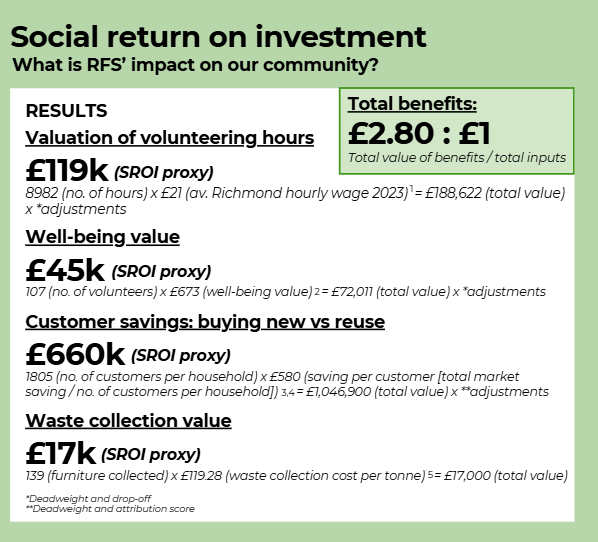
    Finally, the manager sent the report to a volunteer and mentioned that the SROI figures weren’t fully grasped. I made changes and moved the sources to the last page, as agreed, learning the importance of explaining and highlighting the figures:

    This was the final draft (before the last stage of sending it to the Trustees).

    I attended the AGM/party to take pictures/videos, which helped plan content for a few weeks and maintain connections with other volunteers.

    I was invited to capture videos/pictures for the Annual General Meeting that took place in the warehouse, including both a meeting and Christmas volunteer party. Considering its location, there was preparation taking place, like moving furniture

    • I decided to create a ‘getting ready’ carousel, thank you post and figures post
    • Consequently, I paid attention to, and asked if there were any developments in setting up
    • I had a catch-up discussion with the manager to clarify anything

    Doing all of this helped me acquire the correct content, adaptable for Instagram, TikTok and LinkedIn, of around 3x content pieces over 3 weeks

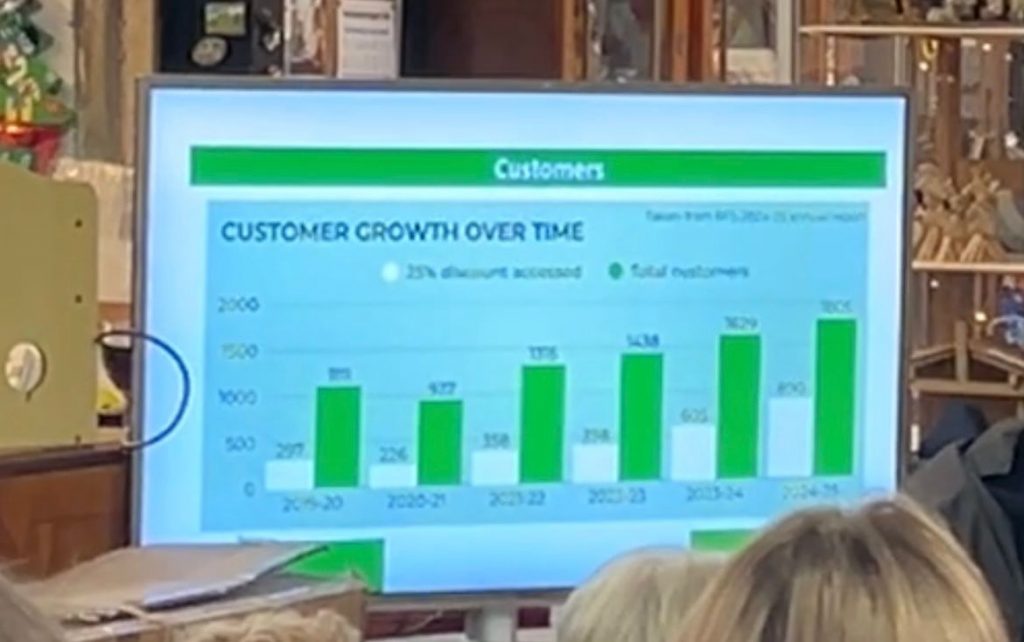
    Additionally, a couple screenshots of the report were used in the presentation, and I was shouted out during the Q&A, which was motivating:

    Report in presentation

    Other social media:

    • Decided it was important to include a non-promotional post. I posted about the decorations in the warehouse, with a slightly humorous tone. I should implement this more often, if possible
    • The collaborative post gained many views and likes. This collaboration was between RFS and a Football Club, who wanted rustic-looking planters made out of pallets
      • I was provided pictures and requested to post this so I confirmed messaging with the requester, who wanted an in-depth caption
      • I took notes of our discussion, which was beneficial so I could pay attention in writing to ensure it flowed well
    • This suggested I should also post collaborations more often, if possible, as it reaches multiple audiences

    Collaboration Post:

    https://www.instagram.com/p/DRKe0UwDDE8/?igsh=MWVlM2QzejhwYXB1eg==

  • October

    October

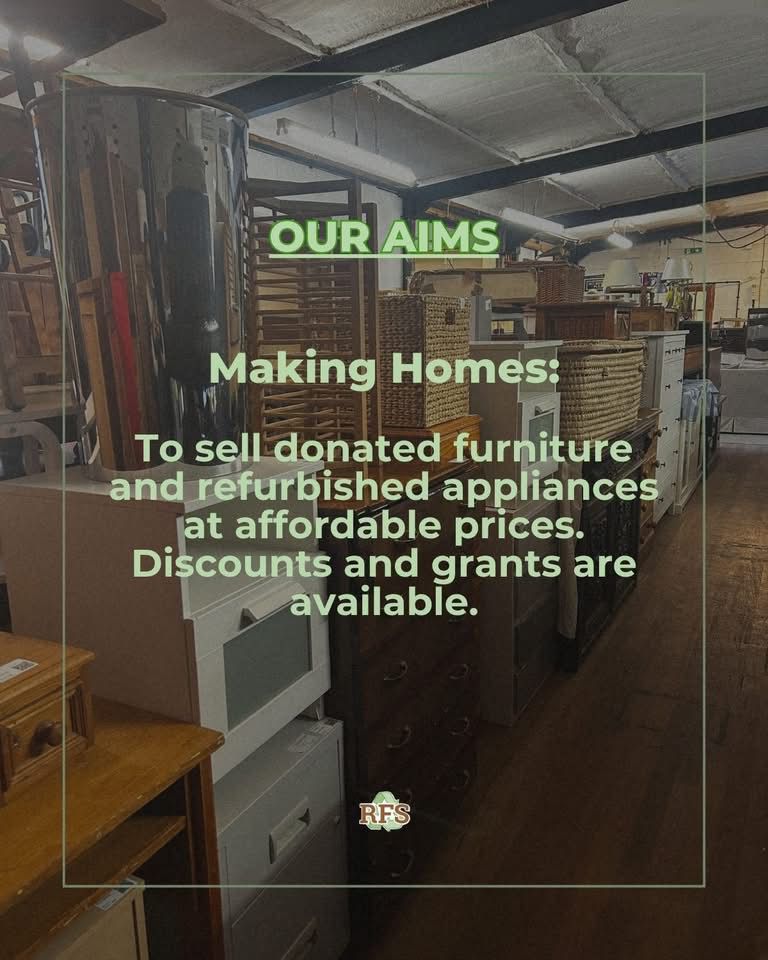
    Image Taken from RFS website

    Training in the warehouse to learn about the system used alongside customer services, before getting into social media/marketing.

    Through research beforehand, I knew what RFS’ aims were, but this week gave me inside experience into exactly how we meet them:

    Making Homes, Protecting the Environment, Building Community

    Not only did it improve my knowledge, but it will inform my content creation in understanding our messaging, audience etc. and gave me content ideas, like a ‘Favourites of the Week’ carousel of warehouse items.

    It reminded me that strategy is important, e.g. everything we sell are donated items, so content should reflect its importance. 

    Additionally, having never worked an official formal role before, especially in customer services, I was anxious about customer interaction. However, on my second day I offered to independently serve someone while the manager was unavailable, learning that I enjoyed it and will take initiative.

    This week I was directed towards creating an impact report, started designing it, began capturing content and also shadowed the Richmond Council Communications Manager.

    I had a few meetings with the CEO about designing an impact report and its considerations, like branding and call-to-actions etc. I was also provided an example from a partner organisation, to be inspired by (below).

    Shepherd’s Star Impact Report example as inspiration

    Although I was worried as I had never designed an impact report, my notebook note-taking played a huge part in ensuring I knew what to include without feeling overwhelmed, so I was excited to try it out

    In designing, I struggled with the brand colours as they were quite limited. Consequently, I first designed with a specific colour palette, and later created another option to choose from. This was beneficial to make decisions efficiently:

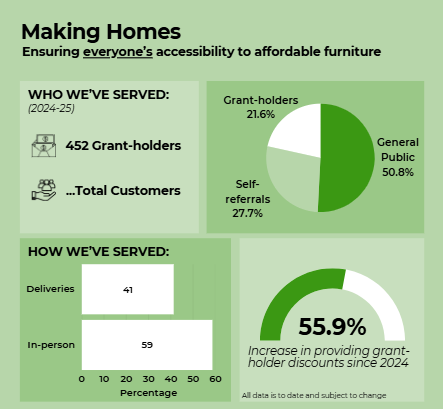
    I was strategic in ensuring it met its objective of showcasing impact, by creating 3 main sections based on their aims. I then analysed data, collected within their Microsoft Power BI dashboard, to summarise as graphics and statistics (instead of sentences)

    The Communications Manager for Richmond Council also visited us to capture content that will be posted on their social media for Circular Economy Week

    • I shadowed her process: finding multiple locations within RFS and taking photos alongside videos for options, to efficiently meet her brief = I gained insight into content creation in a professional context and made a connection

    During the process, I took my first social media photos, plus photos of furniture items I liked for the ‘Favourites of the Week’ idea:

    Drafted posts for Instagram and LinkedIn, and also TikTok to start planning how to expand content. Presented my impact report, so far, to the Co-Founder of Shepherd’s Star and the RFS CEO for feedback.

    The content I captured last week, I used to draft my ‘Favourite Items of the Week’ idea. For the Instagram post, I highlight my favourite items, so I selected photos accordingly. For TikTok, I also wanted to rate these items to align with trends for engagement, so I selected extras I thought were suitable:

    For LinkedIn, I used the photos I took while shadowing for a ‘Behind the Scenes’ post, as it had a professional message that aligns with LinkedIn’s audience:

    • I optimised each post according to platform by varying: post size, copy, tags and hashtags, helping align with each audience
    • I included call-to-actions pre-written by RFS and music on the Instagram post
    • Moreover, I started testing specific posting times to help inform future posts

    Ultimately, for better engagement and to increase visibility, driving viewers to RFS and utilising my educational experiences

    In presenting the report so far, I made a connection with the Shepherd’s Star Co-Founder (who created the example report, above). I also received constructive criticism from the CEO for report refinements

    • I found that I didn’t take it personally but rather took it as an opportunity to improve
    • I was, however, nervous in the process of backing up my decisions where needed, as this required confidence to further decision making, but my note-taking prevented overwhelm

    I attended the Full of Life Fair to film a video. With this, social media requests and my own spontaneous capturing of content in mind, I needed to improve my organisation.

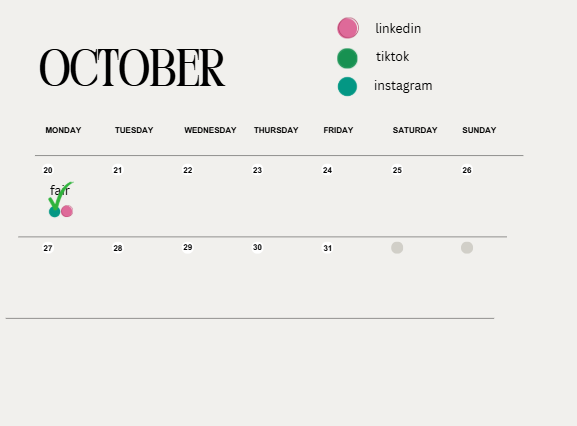
    I decided to design a content calendar noting: ideas, target audiences, aims, posting days and platforms. This provided clarity, helping me post on schedule and know what I’m doing day-to-day:

    The Full of Life Fair, hosted by the Richmond Council, aims to supply older residents with information for their wellbeing

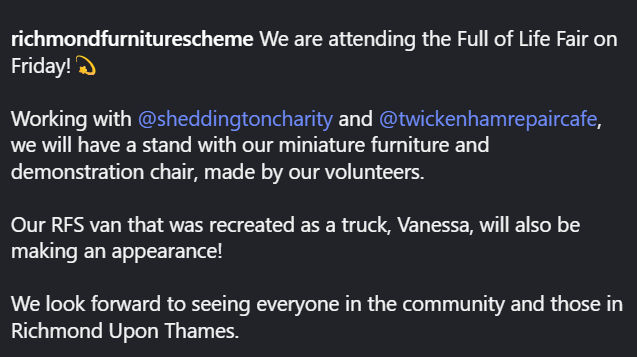
    • I was requested to join my managers to capture content, plus create an announcement post of our attendance
    • For the caption, I looked into previous posts to align with the approachable but professional tone and included an emoji for visual engagement. I went back to a previous caption to do the same, and kept it in mind for future captions:

    I planned a behind the scenes video for the fair, researching the fair and looking for inspiration from others in the industry. I thought of its aims:

    • Personable through visuals, contrasting other posts
    • Informative through insights in the caption

    and where it can be posted to maximise engagement (LinkedIn, Instagram, TikTok), by researching what performs well on each platform.

    Inspiration:

    https://www.instagram.com/reel/DP4B63EgroZ

    https://www.instagram.com/reel/DPvPT3ZiDvY

    At the fair I:

    • Took footage (with permission from individuals)
    • Shadowed the Digital Communications Officer for Richmond Council, who created video interviews with the Mayors and Councillors in attendance for their opinion on the fair
    • Asked them interview questions and watched the process

    The Mayors/Councillors were understandably preoccupied, so it was disorganised and chaotic to film. However, I adapted to balance my tasks, found it exciting and learnt how filming works practically, which is to attain much footage. 

    As the organisers were unable to ask everyone for permission, I found it tricky to navigate filming, so I avoided showing faces by filming attendees’ from behind.

    Used the constructive criticism and additions to improve the report and edited the FOLF reel, making decisions about its aims.

    Previously, I was provided areas for improvement alongside the next steps for the report. This included, e.g.:

    • Understanding the data dashboard better
    • Using the Annual Report (2024-25) for data and consistency in phrasing words
    • Defining terms and changing some graphs
    • SROI and social impact value additions

    Using my notes and extra resources provided, I made these and more improvements. I also kept these improvements in mind, by ensuring I included them in new pages I designed.

    I added SROI sections across 2 pages, understanding its aim to make decisions of what to include to avoid overload. This followed with another meeting where I was told it was very good, with some corrections. I was pleased it’s meeting expectations and felt I had further clarity on how the organisation works.

    Additionally, I looked into insights on each platform I use to better understand what timing works and what content to continue posting, e.g. behind the scenes posts and posting after 4pm on Instagram/Facebook.

    With the FOLF footage, I was pleased I focused on filming behind attendees as I had enough footage. There were a few issues I resolved while editing:

    • The focus was on promoting the fair = I cut it down to focus on what RFS does
    • My plan was to have event insights in the caption, but there weren’t specific insights to discuss = adapted this to include RFS achievements and, in future, will better understand the event to plan accurately

    I also posted the ‘Favourites of the Week’, feeling as though I should finish the series soon as the audience may not want them anymore. However, an upholstering professional with 182k followers (Instagram) commented:

    Great idea to have a favourite of the week post. Love it

    which motivated me.